

Instant Live Translation for Your Events
No Apps. No Interpreters. No Cutoffs.
Your audience scans a QR code. Your speaker talks. Your audience understands instantly.
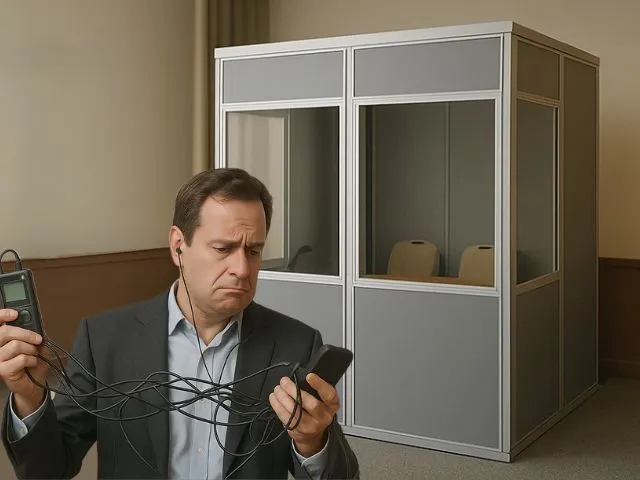
Challenges of Live Interpretation for Multilingual Events
Organizing an event with multilingual attendees?
Here’s what you are likely facing:
- Hiring interpreters can be costly, especially when multiple languages are involved.
- Equipment setup is complex: booths, headsets, and technical support required.
- Interpreters may face challenges—fatigue, noise, pace, or limited subject expertise.
- Not all languages can be supported - niche languages are often left out.
- Even apps have limitations—they stop after set hours or require software installation.
True inclusivity is often missed by many events despite heavy investments.
Nubart TRANSLATE is the simpler way
See how it works:
For you (the organizer):
- 1 Share our QR code with your audience
- 2 Log in to Nubart TRANSLATE
- 3 Select the spoken language and talk
For your audience:
- 1 Scan the QR code
- 2 Confirm or change the language of your translation
- 3 Get real-time translation (available in both text and audio).
Feature Comparison
| Feature | Traditional Interpreters | Other AI Translation Apps | Nubart TRANSLATE |
|---|---|---|---|
| Scheduling or logistics needed | Yes | No | No |
| Interpreter fatigue | Yes | No (but tech issues possible) | No fatigue, real-time always |
| Per-language cost increases | Yes | No | Flat, no per-language charges |
| Price increases as listeners increase | No | Yes | No |
| App or code required | No | Yes | No app, just a QR code |
| Session cutoffs or limits | No | Yes | Never cut off mid-event |
| Available in multiple languages | Often limited | Varies | 35+ languages supported |
| Equipment required | Yes (booths, headsets) | None | None |
| Real GDPR safety (no AI training) | Mostly Yes | No (often use data for training) | 100% GDPR-compliant. No AI training, strict deletion protocol. |
Trusted by


Pricing & Cost Calculator
Calculate your exact event cost in seconds
Pay-as-you-go
- Unlimited listeners
- Unlimited speakers
- 35+ languages
- Pay only active speaking time
By starting a trial, you agree to our Terms
Your event cost
Calculate in seconds
Step 1 of 4
How long is your event?
Step 2 of 4
Is this a multi-room event?
For example: a conference with parallel sessions in different rooms, each with its own speaker.
Step 3 of 4
Is what will be discussed at this event confidential?
For example: a strategy meeting, board session, or any event where sensitive information should not reach unintended listeners.

PDF with your logo, delivered in under 24 hours · A4 or US Letter · cut & use
€79 setup + €1.50 per code · minimum 50 codes
Step 4 of 4
Your estimate
Your quote request is ready
Copy the text below and paste it into your email client, or use the Open in mail app button if you have one configured.
Built for high-stakes events
Event organizers spend thousands on flights, hotels, AV tech, and catering
But the most important part is your message.
Don’t risk it with faulty apps or misheard interpretation.
- Hosting a conference or keynote with multilingual attendees
- Organizing a university lecture with international guests
- Running a public-sector event that needs to be inclusive
- Speaking on stage and want to avoid tech or interpreter hiccups
- Want an app that doesn’t penalize you for having large audiences

With Nubart TRANSLATE:
- There’s no fatigue, no background noise
- You won't be cut off in the middle of a talk
- Your audience stays connected – no matter the language
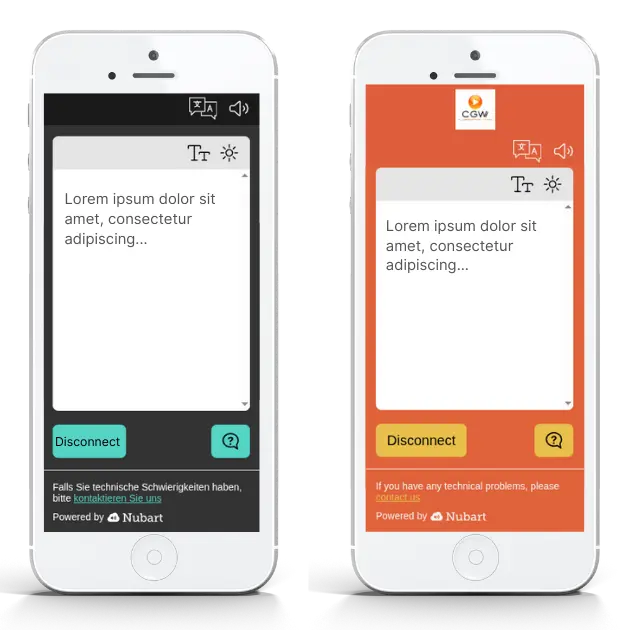
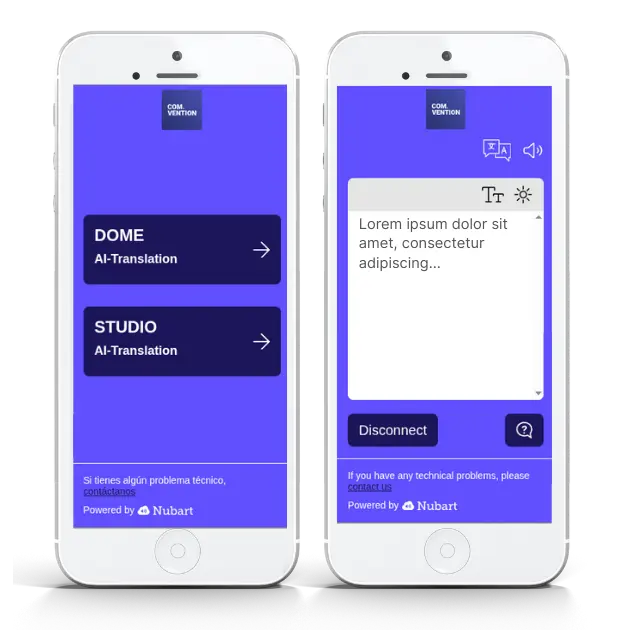
We customize your Nubart TRANSLATE layout
At no extra Cost. Because your branding matters
We prepare the AI for your event
Before an assignment, a professional human interpreter reads the programme and learns the names. Nubart TRANSLATE gets the same briefing.
Out of the box, speech recognition and translation know languages, but nothing about your event. The name of a speaker or a venue is written down as something that sounds similar. A word with two meanings comes out with the wrong one. We prepare the system from your own material, so it knows who and what will be talked about.
1. You send your material
Send us whatever material you would give a human interpreter to prepare for a session: a programme, slides, a press kit, speaker biographies, product sheets, term lists.
You upload everything in the Assets section of your password-protected customer area, so your documents stay private. Short lists of names or terms can also be sent by email.
Files need to contain text (PDF, Word, PowerPoint, plain text). Scanned images, audio and video cannot be read.
2. We prepare each AI system
Speech recognition, translation and voice are separate systems. We prepare each one professionally, for every language spoken on stage:
- A context text for the translation engine
- A custom vocabulary for the speech recognition
- Hand-set lists: terms not to translate, fixed translations, pronunciation
Knowing what to leave out matters as much as what to include.
3. Our team checks the result
AI produces the first draft from your material. Our team then reviews it and refines it by hand where needed, before your event.
If your material changes, send us the update and we adjust the preparation.
What preparation does, and what it does not do
It makes names, specialist terms and ambiguous words more likely to come out right. It cannot change the audio: background noise, fast speech and strong accents still affect the result, as they do for a human interpreter. And it can only name what your material names. A one-page programme without names gives us little to work with.
Questions about what to send? See the FAQ below →One product, two access modes
Not every event has the same confidentiality requirements. Nubart TRANSLATE adapts to both.
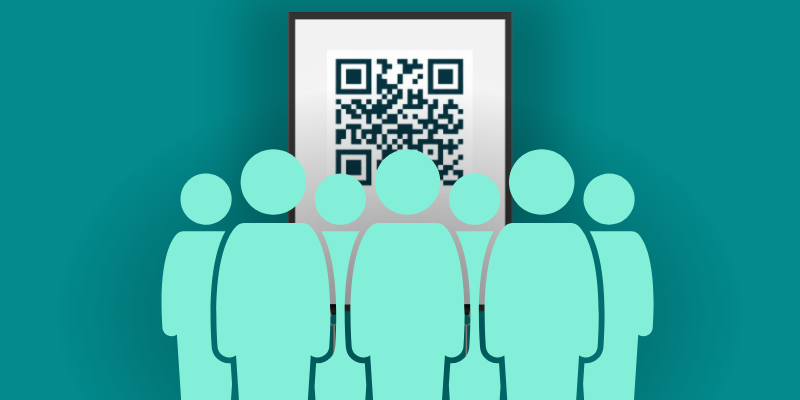
Standard QR code
Your Nubart TRANSLATE QR code is assigned once per account and never changes. Unlike session-based or room-based codes that need to be regenerated and reprinted for every event, yours works indefinitely. Print it on a banner, a table card, or a slide deck — and reuse it next time without touching the printer.
No registration, no friction. Ideal for public conferences, trade fairs, educational events, and any setting where open access is perfectly appropriate.
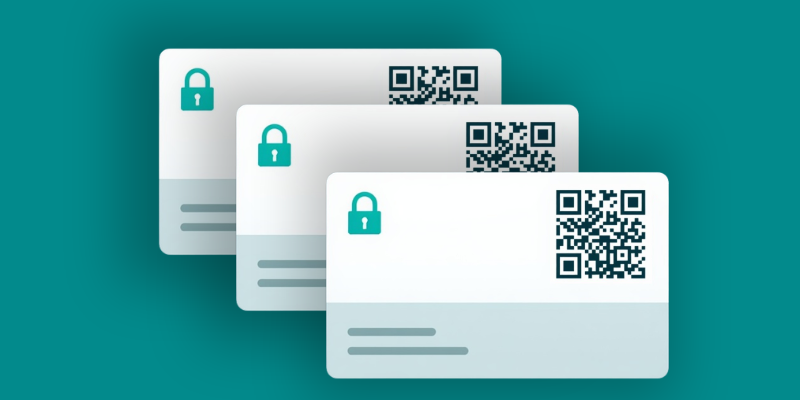
Non-transferable access cards
For board meetings, investor presentations, or internal strategy sessions, Nubart TRANSLATE offers physical access cards whose QR code binds to the first device that activates it. If a participant forwards the link, access is denied on the recipient's device. No registration or personal data required from attendees.
Nubart provides the cards as a print-your-own PDF with your logo, formatted for standard pre-cut business card sheets in A4 or US Letter, so no scissors are required. A new series of codes is generated for each event, so a card cannot be reused at a later event.
Powered by LWAC, a technology internationally protected with granted patents.
FAQ
The trial uses the standard system, without event-specific preparation. See how we prepare the AI for your event.
What's best: Nubart TRANSLATE will not charge you based on the number of users!
For the translation engine, we create a context text in the speaker's language, following the engine's own guidelines. For the speech recognition, we build a custom vocabulary of the names, acronyms and coined terms it would otherwise mishear. Where needed, we also set by hand what only a human can decide: terms that must never be translated, fixed translations for specific terms in each listener language, and pronunciation for the spoken translation.
AI produces the first draft, and our team reviews and refines it. Choosing what to leave out matters as much as choosing what to include, because an overloaded preparation makes results worse. This is the work of a professional briefing, not an automatic upload of your documents.
Upload your files in the Assets section of your password-protected customer area, which keeps your documents private. Give each file a descriptive name, for example "Presentation for event on 5 June, Room 2". Uploaded files stay in your account and can be reused for later events. Short lists of names or terms can also be sent by email.
Files must contain text (PDF, Word, PowerPoint, plain text). Scanned brochures, photos, audio and video cannot be read. Please also tell us which languages your speakers will use on stage. The languages your listeners choose do not matter for this step.
Preparation starts once your order is in place, or once you book a prepared test. If your material changes, send us the update and we adjust the preparation.
Please send everything as early as possible. We cannot guarantee that material received less than 12 hours before the start of the event is included. For events that start on a weekend or a public holiday, or on the morning after one, the limit is 36 hours (local time of the event).
Preparation is also selective by design. Putting everything from your documents into the system would make results worse, so we choose what each system really needs: names, acronyms, coined terms, unusual spellings and ambiguous words. And the system can only work with what your material contains.
If a term went wrong at your event, tell us. We can add it to the preparation for the next one.
If you want to test the system with a prepared AI before ordering, we offer a prepared test with prepared AI and your logo and colors for €60 (excl. VAT). Upload your material, as you would for a real event, and we prepare the system for your test. Once it is ready, you have 30 minutes of use; any free trial minutes you have not used yet are included in these 30 minutes, not added to them.
Any noticeable delay is usually linguistic rather than technical: the system waits until the speaker completes a meaningful unit of speech. In languages like English or Spanish, this can be a sentence fragment, while in verb-final languages such as German, Japanese, or Korean, a full sentence is often required.
A small additional delay comes from text-to-speech. In most languages this is barely noticeable, but for less common languages it may take slightly longer.
If the speaker talks faster than the generated voice, the translated audio may lag behind simply because speech takes time to deliver.
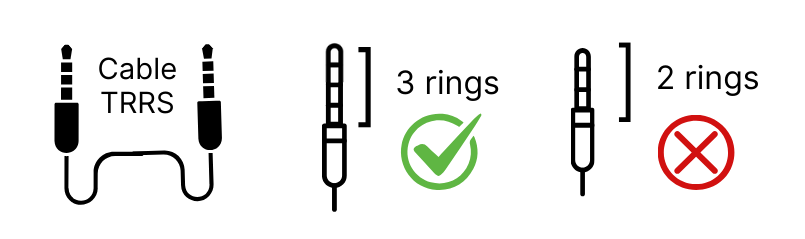
For hybrid events where a remote speaker addresses an in-person audience, we recommend routing the videoconference audio directly into a device running Nubart TRANSLATE using a 3.5mm TRRS audio cable (male-to-male, with 3 insulating rings—TRS cables with only 2 rings won't work). This ensures clean audio input without room interference. Note that standard iPhone adapters don't support TRRS; if using an iPhone, you'll need a Lightning-to-3.5mm adapter explicitly designed for 4-conductor cables. We strongly recommend testing this setup several days before your event.
Participants can still ask written questions. These are automatically translated into the speaker's language and appear directly in the Nubart interface—either on the browser tab or on a separate mobile device, depending on how the speaker chooses to connect.
For multilingual discussions, organizers can give all participants "speaker" access in Nubart TRANSLATE. The QR code will then reproduce what each participant says, while the muted meeting platform shows who is speaking.
While some meeting platforms now offer automatic translation features, Nubart TRANSLATE stands out for organizations requiring higher confidentiality and broader language coverage. Because microphones in Zoom, Meet, or similar platforms remain muted, all speech is processed exclusively through secure, GDPR-compliant providers selected by Nubart. Meeting content is never used for external AI training or advertising and can be permanently deleted upon request after the event. With this approach, 35+ languages can be translated securely, giving you flexibility and peace of mind.
For confidential events — board meetings, investor presentations, internal strategy sessions — Nubart TRANSLATE offers LWAC-protected access cards, a technology internationally protected with granted patents. LWAC binds the QR token to the first device that activates it. If a listener attempts to share their active access link, the system detects the device mismatch and denies access. No registration or personal data is required from attendees.
For public or non-sensitive events, a standard QR code remains the simplest and most practical option. Read more about listener access security in AI interpretation →
Curious how Nubart TRANSLATE compares to other providers beyond security? See the full comparison →
By starting a trial, you agree to our Terms and Conditions
P.S.
With Nubart TRANSLATE, you're not just getting translation.
You're making your event truly inclusive, scalable, and stress-free.
No interpreters. No app downloads. No surprises.
Let your message travel further — starting now.