
Nubart Team
QR code audio guides for museums: what to get right before signing a contract
A QR code audio guide looks simple from the outside: visitors scan, content plays. But commissioning one involves a series of decisions that catch many museums off guard — not because they're technically complex, but because the questions to ask aren't obvious until something goes wrong. Nubart GUIDE has been built around exactly these pain points, and over the years we've seen the same avoidable mistakes repeat across institutions of every size. This article lays them out plainly, so you can ask the right questions before signing anything.
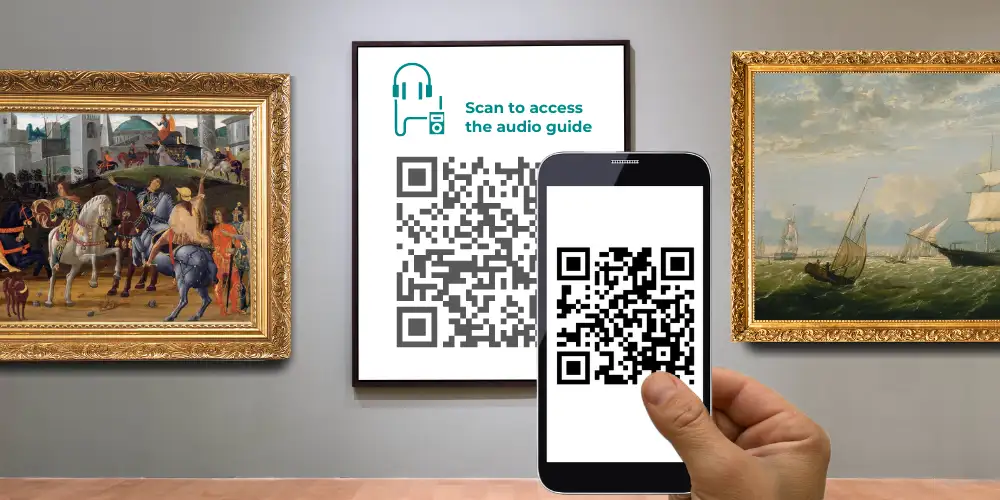
Most QR-based audio guides today are built as Progressive Web Apps (PWAs) — browser-based applications that open directly on the visitor's smartphone without requiring any download. That technical detail matters less than what it enables: a full multimedia experience, offline caching once content has been loaded under good connectivity, visitor analytics, and content that can be updated instantly. What varies enormously between providers is how well they've actually built around those possibilities — and how much trouble you'll have living with their system two years from now.
What type of company should develop your QR audio guide?
The market broadly divides into three types of provider, and the choice matters more than most museums realise.
General software development agencies can technically build a QR audio guide, but they rarely understand what one needs to do. They won't have a content management system designed for audio guides, which means every future update — adding a track, correcting a translation, retiring an exhibit — becomes a bespoke development job. What appears as a one-time cost at contract stage often turns into an ongoing operational dependency.
Traditional audio guide companies know the museum world well and speak your language. The risk is the opposite: their roots are in hardware, and software development may not be a core competency. Before committing, ask explicitly whether they will outsource development to a third party, and request working links to PWAs they have built and currently maintain. Explore those examples thoroughly — not just how they look, but how they behave on different devices and in areas with poor connectivity.
Technology companies specialising in audio guides often combine museum expertise with in-house development capabilities — for many institutions, an attractive balance between domain knowledge and technical depth. The caveat is that many are relatively young companies, some built on external investment that has not yet translated into a sustainable business. A strong client portfolio is not sufficient reassurance — early clients are often pilot projects offered at no cost. Many countries provide public access to company filings or annual accounts; reviewing these records can help you assess whether a provider is financially stable enough to support your guide over the long term. If a provider ceases operations, maintaining or updating the audio guide can become difficult and expensive.
Does the provider have a CMS built for audio guides?
A CMS — Content Management System — is the software used to create and update the contents of your audio guide without touching the underlying code. Whether you ever log into it yourself or not, the CMS your provider uses will determine how quickly changes get made, how much they cost, and how dependent you remain on external developers for the life of the guide.
There are three tiers worth knowing about.
An audio guide built entirely from scratch, with no CMS, offers maximum flexibility at the outset and potentially a one-time fee with no recurring costs. In practice, it means that every future change requires a developer. If the agency that built it is no longer available — which is not uncommon — a new agency will essentially have to start over. This model works for very stable, permanent exhibitions that will never need updating. It is poorly suited to almost everything else.
A general-purpose CMS such as WordPress, or more complex developer-oriented platforms like Craft or Glue, can host an audio guide but will hit limits quickly. Interactive maps, validity dates for temporary exhibits, augmented reality elements — these are not what those systems were designed for. You will reach the ceiling at the moment you most want to expand.
A CMS built specifically for audio guides is the most practical choice for most museums. The navigation, audio player, and content structure are designed around how audio guides actually work. Updates are faster, cheaper, and don't require specialist technical staff. Ideally the CMS has been developed in-house by your provider's own team, which means new features can be added over time rather than requiring workarounds.
Will you have access to the CMS yourself — and do you actually want it?
This is a question museums often don't think to ask, and the answer depends on your team and your exhibition schedule.
Some providers use the CMS internally and handle all updates on your behalf. You pay for their time and expertise rather than for a licence. The advantage is that you don't need to learn the system, and setup typically requires less involvement from your side. The risk is dependency: ask clearly what update requests cost, how quickly they're turned around, and whether there is a permanence clause in the contract that locks you in even if the service deteriorates.
Other providers give you direct access to the CMS so you can make changes yourself. This sounds appealing until you consider the learning curve — especially for a system capable of handling maps, augmented reality, and multilingual content. If your audio guide doesn't change often, the knowledge will fade between uses. When staff turn over, the new person starts from scratch. A realistic setup for a first audio guide typically takes one to two weeks of focused work even with a well-designed CMS.
Some providers offer both: access to the CMS for museums that want it, with managed updates available as an optional service. That flexibility is worth looking for.
Whatever the arrangement, ask for a free trial of at least one week before signing, and test the CMS yourself rather than watching a demo. Request a copy of the contract before making any decision, and pay particular attention to exit clauses.
Does the audio guide use third-party tracking?
This matters more than most museums realise, and it is one of the most commonly overlooked questions in procurement.
The concern is not simply about cookies in the technical sense — the browser cookie landscape has shifted considerably in recent years. The real issue is whether your audio guide embeds external scripts that send visitor data to third-party servers, typically those of large technology companies. Google Analytics is the most common example: even in its current form, a standard GA4 deployment involves transferring visitor data to Google's infrastructure, which has been repeatedly challenged by European data protection authorities — including Austria's DSB and France's CNIL — for non-compliance with GDPR. Other common external dependencies include Google Maps for geolocation features and Hotjar for interaction tracking.
For publicly owned museums in particular, embedding technologies that route visitor data outside EU jurisdiction creates both reputational and legal exposure. The practical consequence also affects the visitor experience directly: any external data processing that requires consent under GDPR means a consent banner inside the audio guide. A visitor who declines simply disappears from your analytics — and a consent prompt at the moment someone is trying to listen to an audio track is not a welcome interruption.
The simplest way to check is to ask your prospective provider for a working link to one of their existing audio guides and run it through a cookie and script audit. You can do this in Chrome by opening developer tools, reloading the page, and checking the Network tab for external requests — or use one of the specialist audit platforms available online. Ask your provider to explain the legal basis for any external data processing and how consent requirements are handled.
Nubart GUIDE does not embed external tracking scripts. All visitor data is processed on AWS infrastructure located within the EU, which addresses data residency requirements under GDPR and is relevant for museums that need to demonstrate data sovereignty to their governing bodies.
What visitor data will the audio guide give you?
A QR-based audio guide is one of the few tools that gives museums genuine insight into their visitors — anonymously, legitimately, and without intrusive tracking. Which countries are your visitors coming from? Which languages do they use? Which exhibits held their attention and which were skipped? Where in the museum did people spend their time? This kind of data is extremely difficult to obtain through any other means, and many museums commission an audio guide without ever thinking to ask whether it will provide it.
Not all providers make this a priority. General-purpose analytics platforms can provide useful data, but their reporting is often less specific to the museum context than dedicated audio guide systems — and as discussed in the previous section, standard implementations may introduce consent requirements that reduce data coverage significantly. A visitor who declines tracking consent is a visitor you know nothing about.
The better option is a purpose-built analytics dashboard developed specifically for audio guide data. Nubart GUIDE includes a statistics platform that gives museums password-protected access to detailed visitor insights — language, country of origin, listening behaviour by exhibit, and movement patterns — without relying on external tracking services. For museums that take audience development seriously, this is worth asking about explicitly during procurement, not discovering after the contract is signed.
How do you charge visitors for the audio guide — and should you?
Many museums intend to offer their audio guide free of charge, and that is a legitimate choice. But the cost of producing multilingual audio content is substantial, and the case for charging — or at least for choosing a delivery model that makes charging possible — is stronger than it might appear.
The numbers are instructive. Native museum apps reach an average of just 2.47% of visitors, based on Nubart's analysis of 175 museum apps across Europe and the United States. Hardware devices fare somewhat better — typically 5 to 10% when rented — but come with significant logistics costs. QR-based audio guides distributed on non-transferable cards and included with admission show a dramatically different picture: Nubart GUIDE deployments average a 48% take-up rate, with a range of 23% to 70% across venues. When sold as a paid add-on rather than included with admission, the average drops to around 5% — still double what most apps achieve, and with none of the development overhead. For publicly funded institutions, charging a modest fee also avoids placing the full cost of multilingual content production on the taxpayer.
There are two practical methods for monetising a QR audio guide.
The first uses a numerical unlock code. The visitor accesses the audio guide via a QR code or link, then enters a code received at the ticket desk or during online booking. This approach has a meaningful usability problem: it requires two separate steps, and visitors who are less comfortable with digital interfaces will struggle. Even small amounts of friction at the entrance can significantly reduce uptake rates, and staff time spent helping confused visitors can quickly outweigh the operational simplicity of the system. These codes are usually time-limited to prevent reuse, but that does not prevent multiple visitors from using the same code simultaneously.
The second method gives each visitor a unique, non-transferable QR code — printed on a card or delivered digitally via API — that opens the audio guide directly when scanned, with no intermediate step. Nubart GUIDE uses this approach, with a patented method that makes each code non-transferable while still allowing the original user to return to the guide long after their visit. The commercial value of the code is preserved without inconveniencing the visitor.
If you're weighing whether a paid model is worth it, our dedicated guide on how museums monetise a QR-code audio guide works through both revenue models with real take-up-by-price figures and an interactive break-even calculator.
Which business model fits your museum's budget?
Providers typically offer one of four arrangements, and the right one depends on your visitor numbers, exhibition stability, and budgeting preferences. For a side-by-side comparison of how these models interact with different delivery formats, see our comparison of digital audio guide solutions.
Software as a Service (SaaS) charges a monthly fee, typically between €50 and €500, covering hosting, technical support, and CMS access. This model is easy to budget for in the short term, but worth calculating over the full expected lifespan of the guide. A €200 monthly fee over five years amounts to €12,000 — more than many one-time payment options. If your museum has modest visitor numbers or a stable permanent exhibition, a recurring fee may not be the most economical choice. Also ask about permanence clauses: some SaaS contracts include minimum commitment periods that are easy to miss in the small print.
A one-time payment, typically between €3,000 and €15,000, covers development and delivery of the audio guide. The fee tends to be higher when the guide is built from scratch without a CMS. Before signing, establish clearly what is included for future updates — browser compatibility changes, content additions, functional improvements — and what will be charged separately. A digital audio guide is never truly finished; some maintenance cost is inevitable.
Payment by tokens suits museums that want to avoid fixed recurring costs. The museum purchases a batch of unique, non-transferable codes — printed on cards or delivered digitally — and distributes them to visitors until the batch runs out. Codes don't expire, so surplus stock carries over. This model aligns naturally with museum budgeting cycles: spend rises and falls with visitor numbers, and end-of-year budget can be used to pre-purchase stock for the following season. Note that this model covers software delivery; the cost of producing audio content — recording, translation, voiceover — is a separate line item regardless of which delivery model you choose. Nubart GUIDE works primarily on this model.
Revenue sharing is rare in the digital audio guide space — it requires a provider willing to absorb upfront production costs against future income. Where it exists, it works through the token model: the museum receives the guide and content production at no upfront cost, and the provider invoices only for codes actually distributed. This can significantly lower the barrier to commissioning a multilingual guide, particularly for museums with limited capital budgets. Nubart offers this arrangement under certain conditions.
Commissioning a QR audio guide is not a large procurement by museum standards, but the decisions made at the outset tend to stay with you for a long time. A guide built on the wrong CMS, tied to a provider with shaky finances, or routing visitor data through external servers it shouldn't be near is expensive to unpick — far more so than asking the right questions before signing. Most of the issues covered here don't require technical expertise to evaluate: they require knowing what to ask. If you'd like to discuss any of them in the context of your specific situation, we're easy to reach.
We hope you found this article useful. Subscribe to our newsletter so you don't miss any of our posts.
You may also be interested in
How to improve the visitor experience with QR codes in museums
After Covid, QR codes are more popular than ever! Don't miss the opportunity to make the most of them in your museum.
User-friendly structure of audio guides
Optimal structure and user-friendliness for your digital audio guides: tips on design and organization